

Start with a choice
Use a form response to give visitors a clear next step.
Route HubsConditional routes
Let a visitor’s answer decide what they see next.
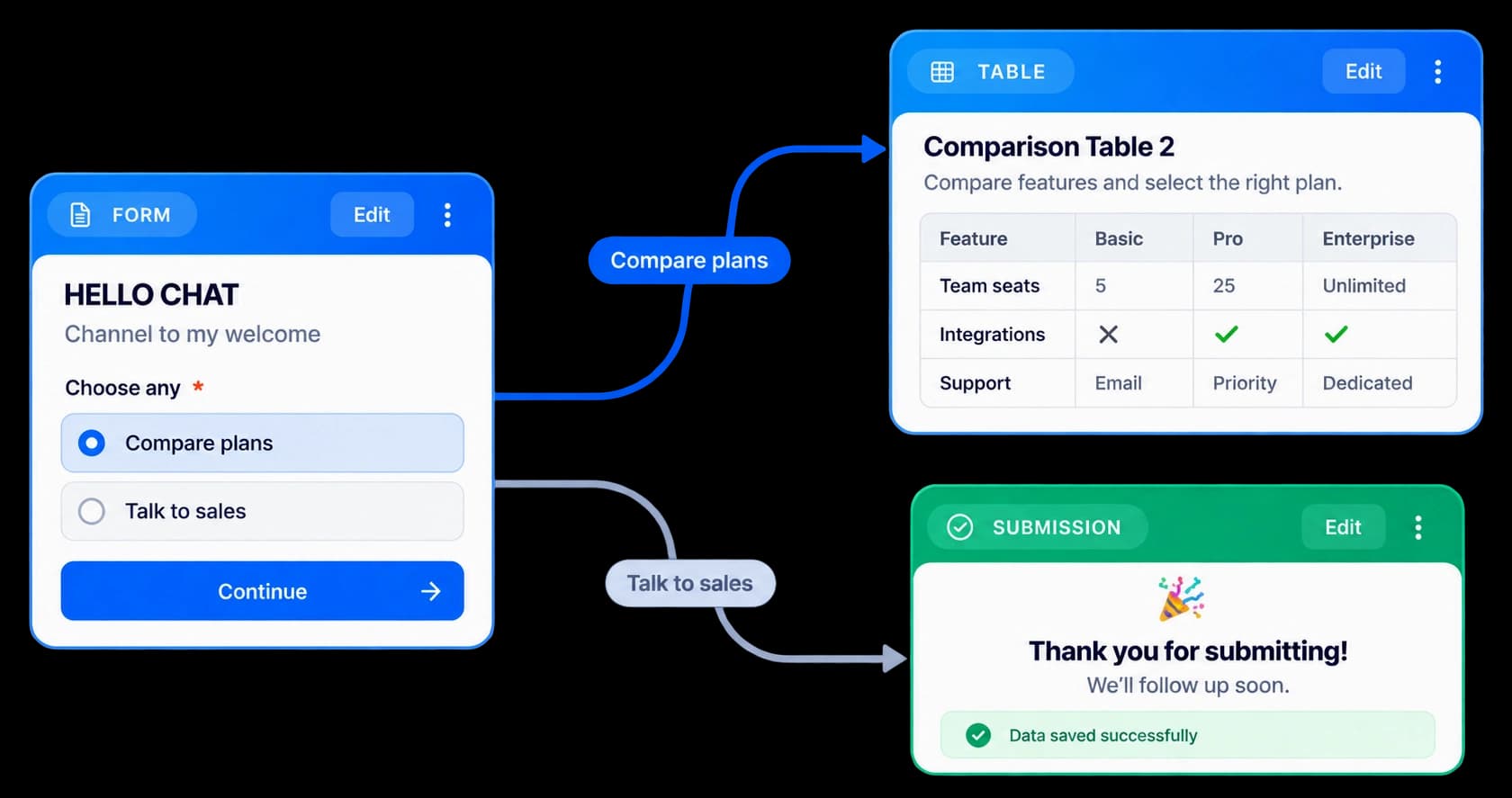
Build around a visitor’s choice
Route Hub conditions connect a response to its next destination. Keep the form, branches, and content cards in view while you review the journey.
Use a form response to give visitors a clear next step.
See connected cards and destinations together on the canvas.
Check where every route leads before you publish the hub.
On the Route Hub canvas
The canvas shows how the HELLO CHAT form connects to the next cards. Review both routes together, then adjust the connections before sharing the hub.
Inside the workflow
Connect the available Route Hub cards into a route visitors can follow.
Start with the card that asks visitors what they need.
Link each available route to its next card on the canvas.
Review the connected journey before sharing it.
Product video
Record the control, the change it makes, and the result on screen.
conditional-branching-logic.mp4Where it helps
Give people a route that reflects the choice they just made.
Product marketing
Sales teams
Customer education
A few useful details
Add and connect the available cards in the Route Hub canvas, then review the path in the preview.
Route Hub paths can branch from form choices. The canvas keeps the connected destinations visible together.
Yes. Preview the hub and check where each connected card leads.

Build interactive walkthroughs, personalize prospect links, and export 60 FPS motion videos without writing code or waiting on engineering.