

What features does Kickdemo include?
Kickdemo covers browser capture, interactive walkthroughs, Flows, Motion Studio, and analytics for engagement and lead tracking.
Record product walkthroughs, build Flows that ask questions and open the right demo, and export Motion Studio videos—then measure what converts.
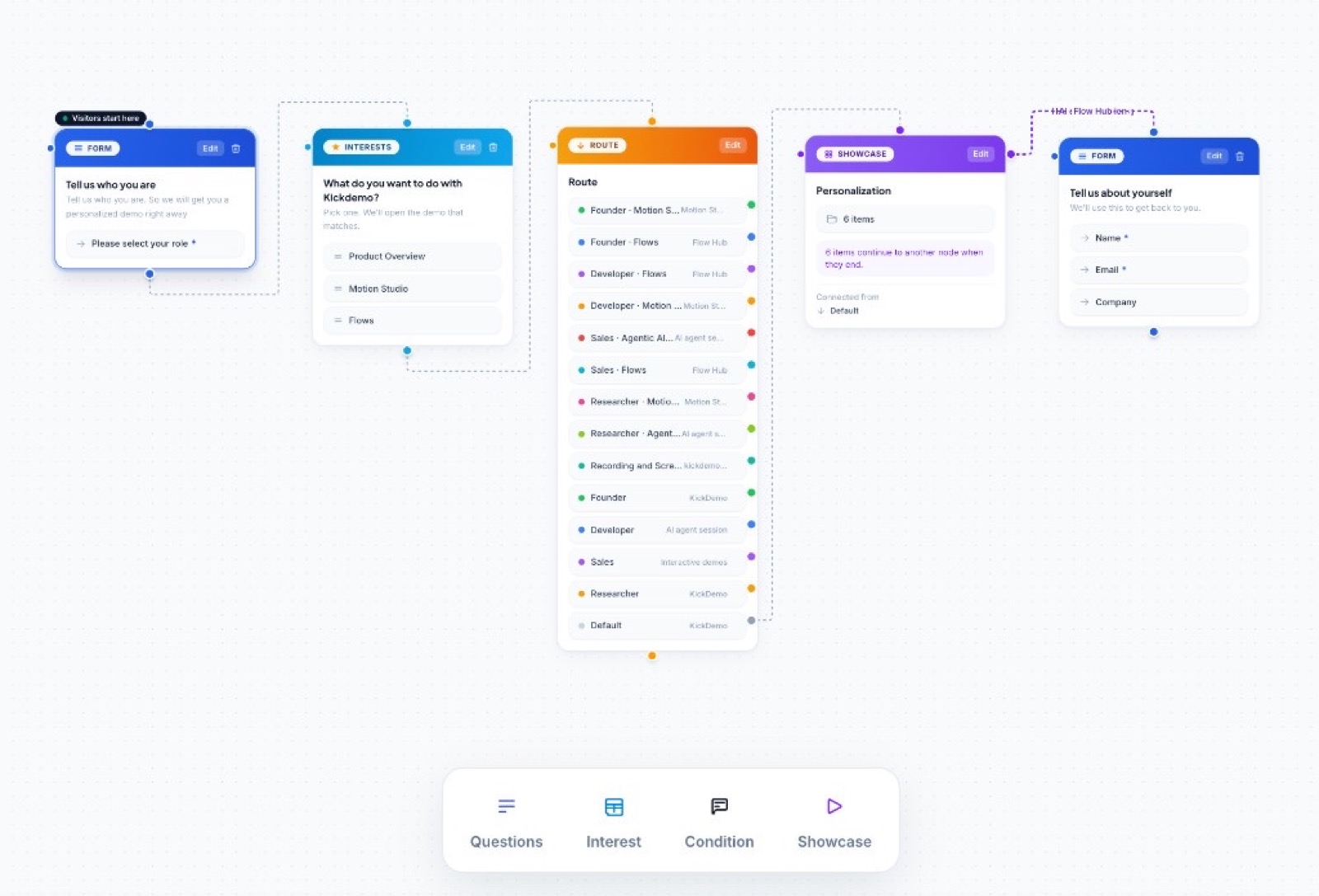
Flows
Route each visitor
Ask questions, branch on answers, and open the demo that fits.
From first capture to final share
Capture a real workflow, refine each step, and put the finished walkthrough in front of your audience.
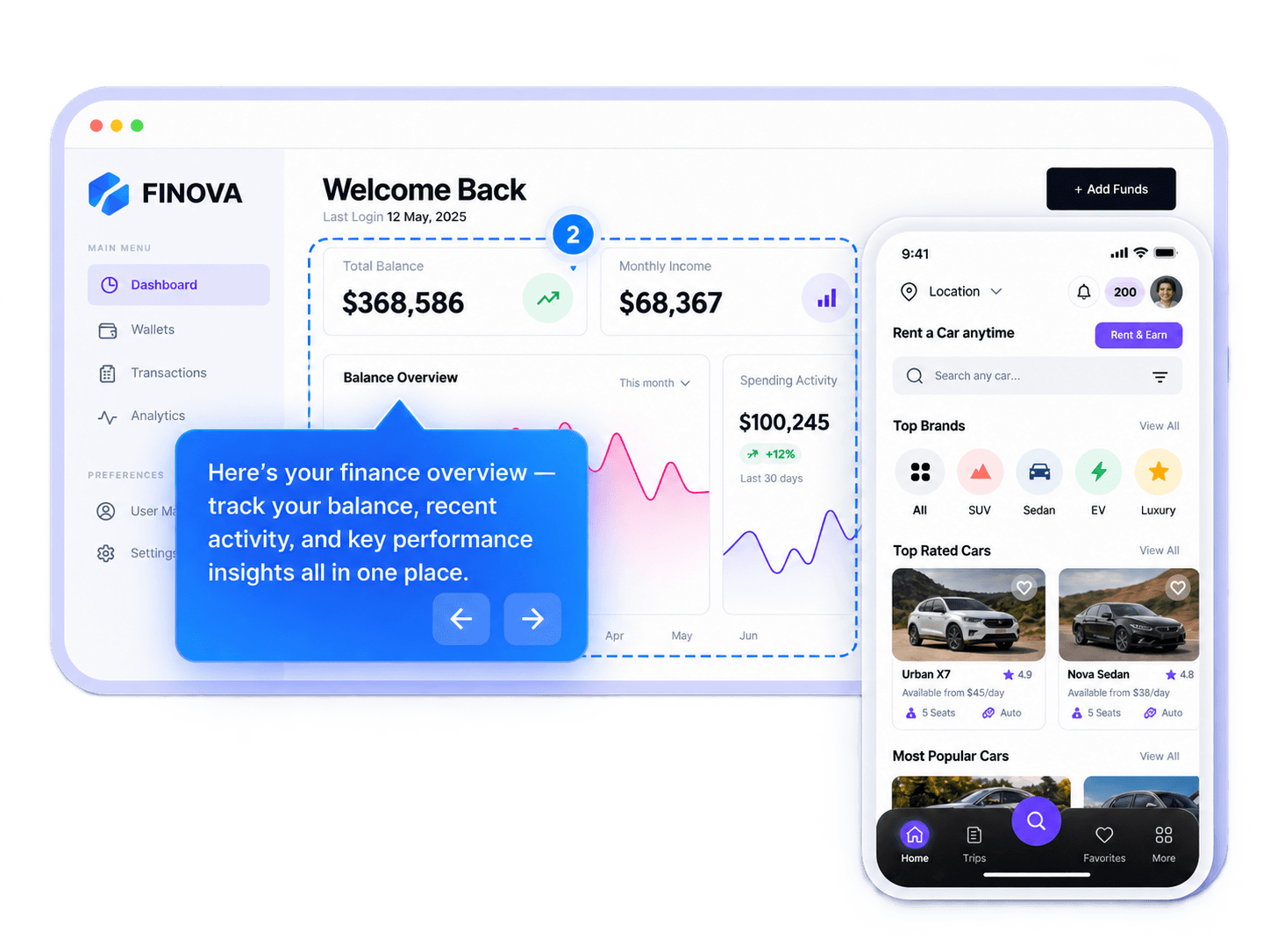
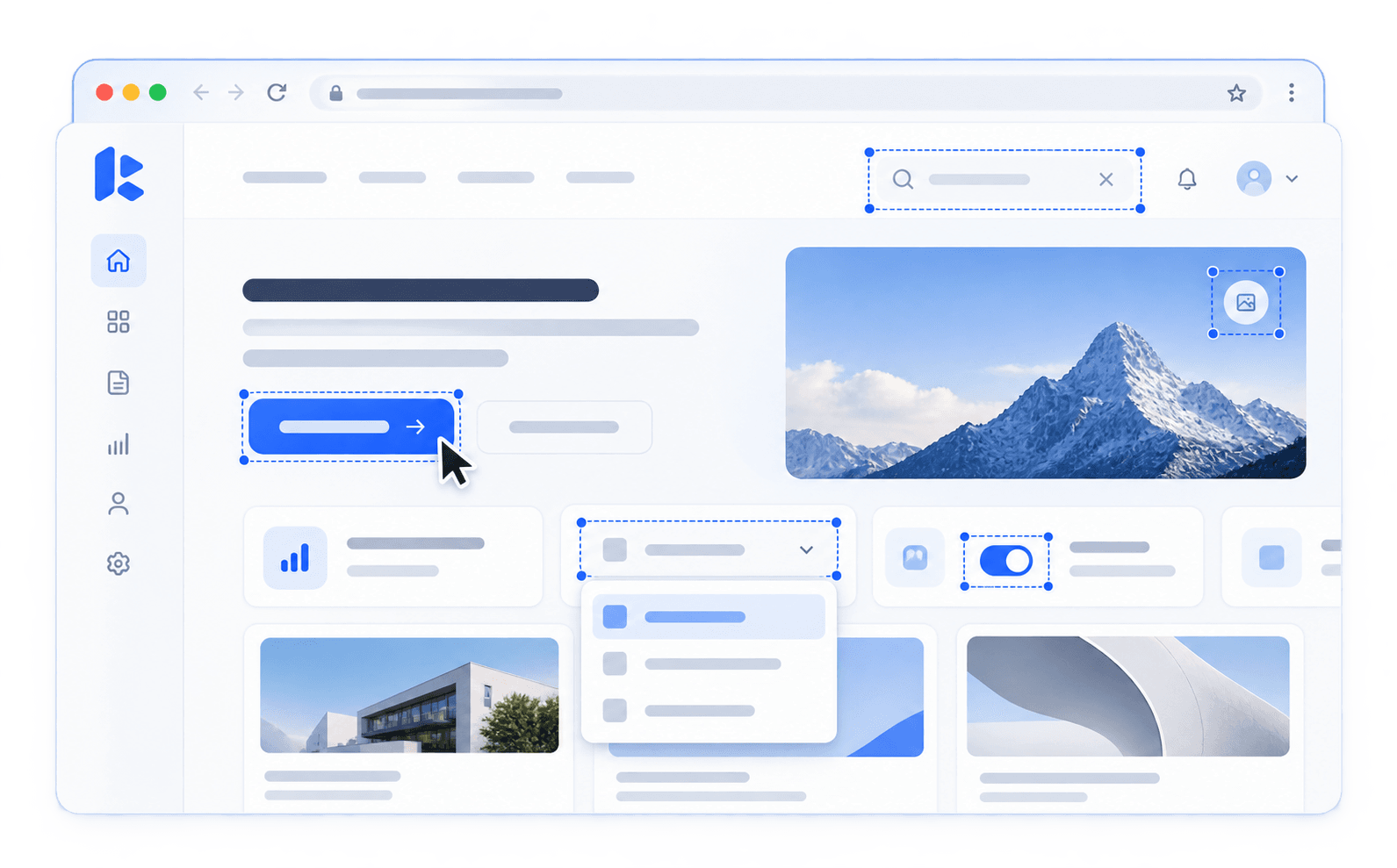
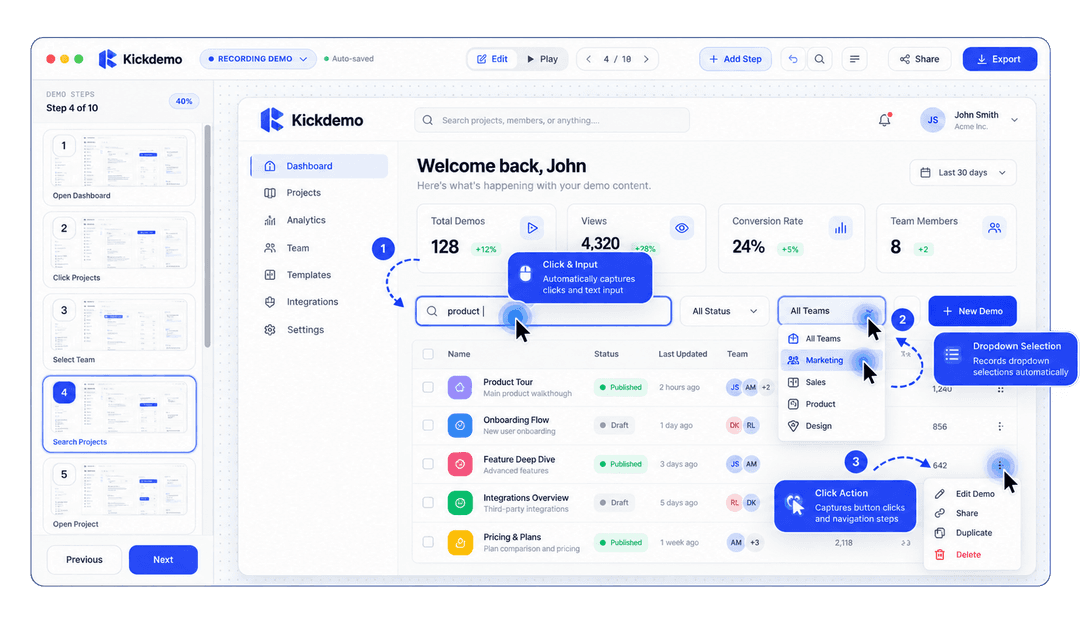
Capture your live web application with our lightweight Chrome Extension. Record click and input actions automatically, and present pixel-perfect walkthroughs with smart 4-way callout guidance.
Automatic Target Lock: Detects buttons, forms, and navigation items with exact coordinates.
Smart 4-Way Callouts: Dynamic guide cards snap top, bottom, left, or right with pulsating click beacons.
Privacy Masks & Direct Links: Redact confidential data and distribute instant friction-free links.
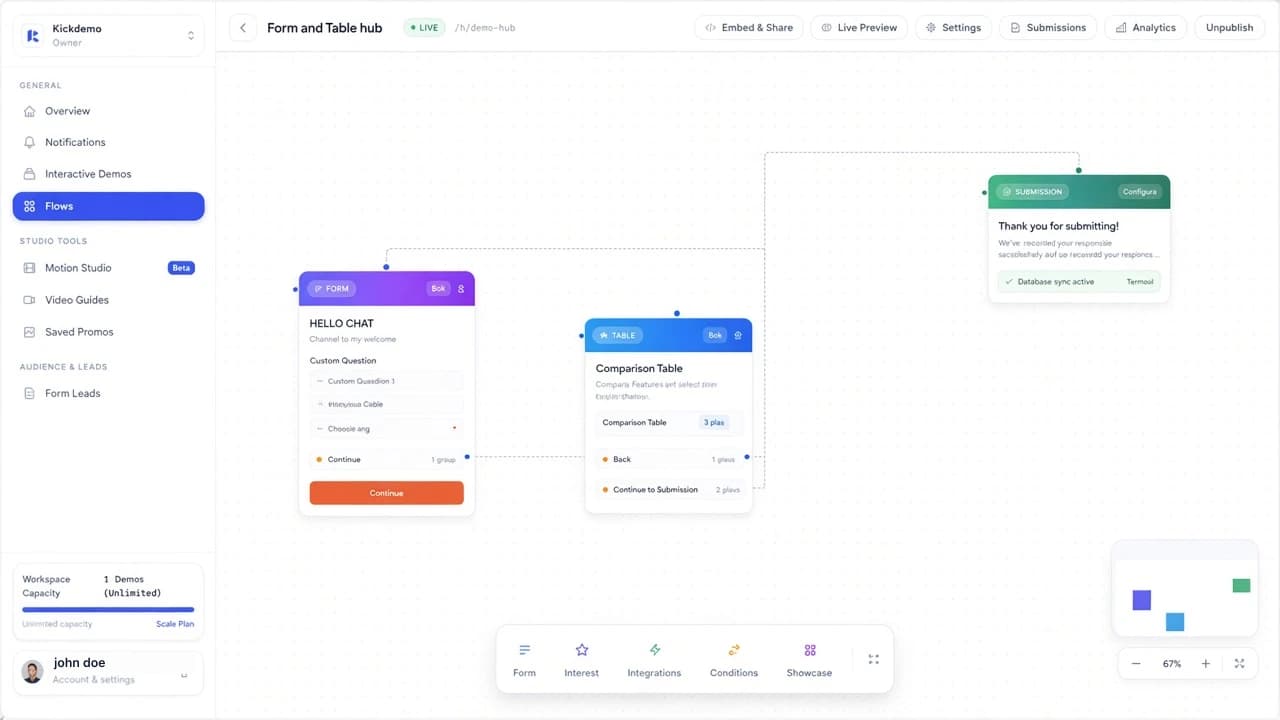
Flows turn a single landing experience into a guided path. Build a questionnaire, learn what each visitor cares about, and send them into the interactive demo that matches their answers.
Questionnaires: Add questions about role, use case, or goals so visitors declare what they need.
Interest forms: Collect contact details and answers at the moment intent is clear.
Demo matching: Send each visitor into the walkthrough that fits their responses—not a one-size tour.
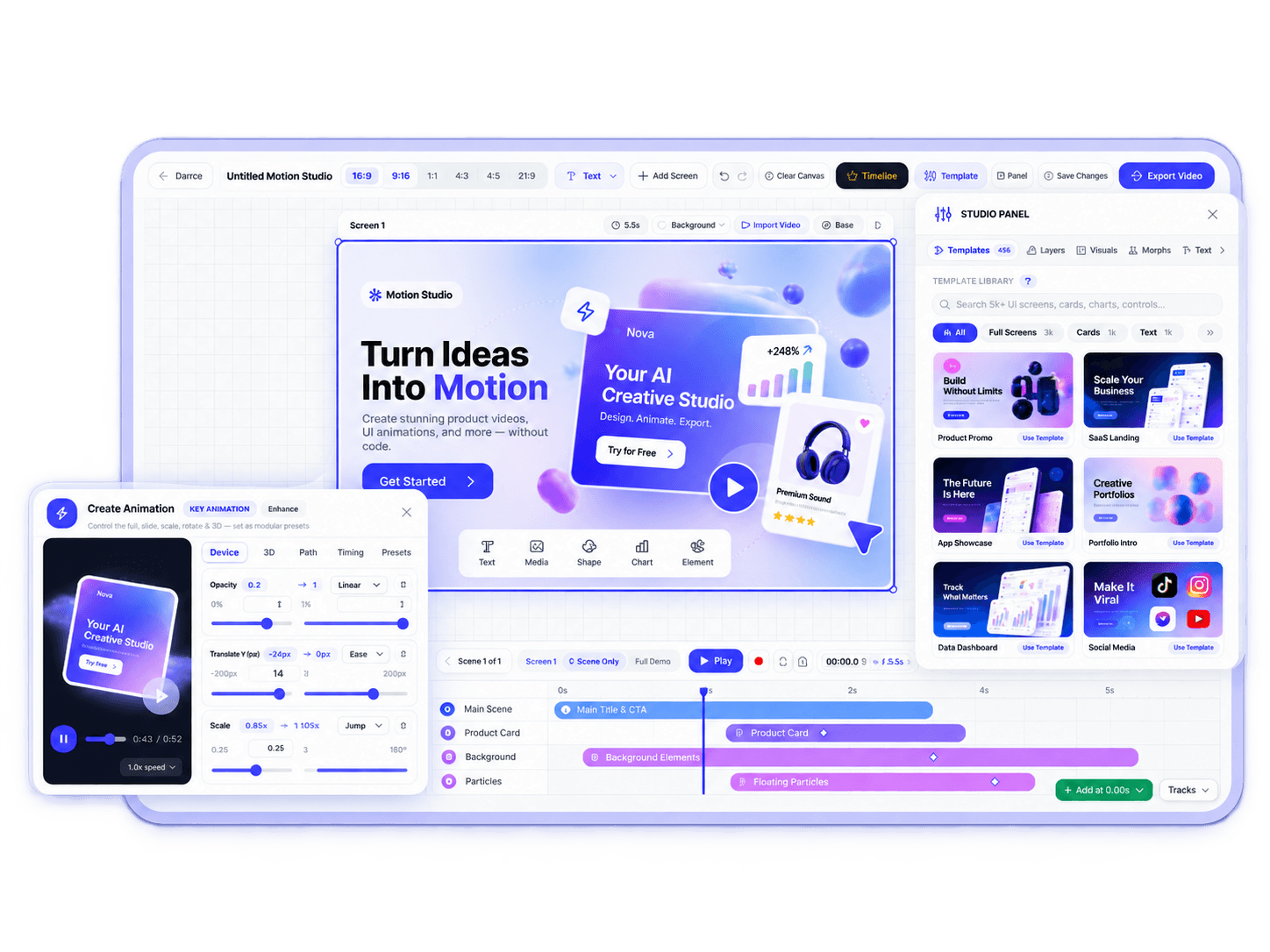
Create viral SaaS launch videos and Apple-style product motion assets directly in your browser. Connect feature cards with smooth animated curves, add glowing energy pulses, and export high-res videos without complex software.
Dynamic Flow Connectors: Smooth bezier curved lines linking feature stages with live curvature controls.
Luminous Energy Pulses: Continuous kinetic light pulses traveling along feature pathways.
Hardware Acceleration: Direct 60 FPS video rendering for high-impact social and landing page distribution.
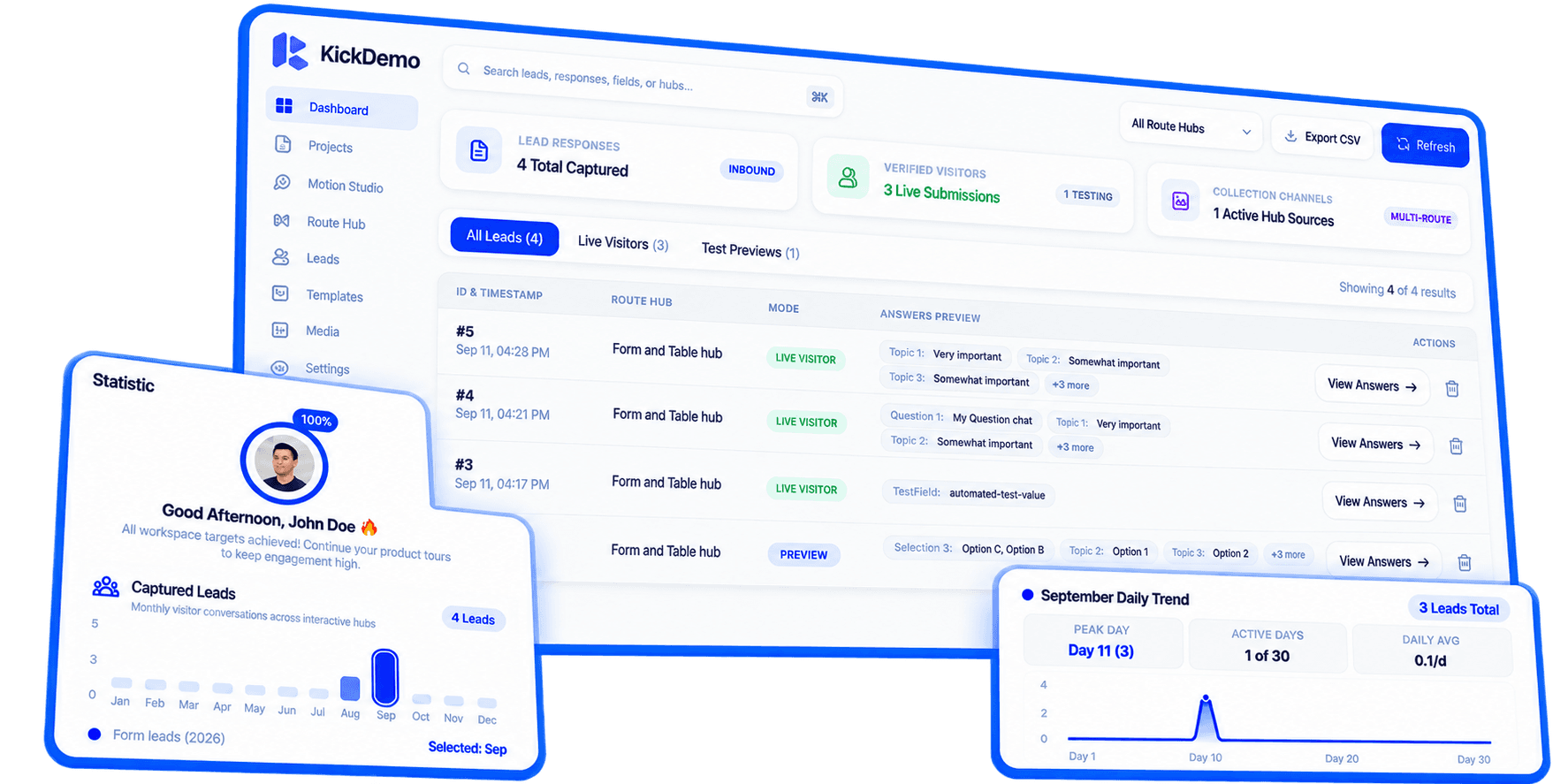
Measure buyer engagement across the full year. Track 12-month captured leads distribution, inspect day-by-day trend curves with interactive crosshairs, and view qualified leads in the centralized submissions dashboard.
12-Month Annual Trends: Monthly volume tracking, annual pacing, and peak conversion windows.
Daily Crosshairs: Real-time trend curves graphing viewer completions and drop-off points.
Direct Lead Pipeline: Synchronize submission data with CRM accounts and routing rules.
Filter by category or search our complete capability set to see how Kickdemo accelerates your product sales and customer adoption.
Hover over any web UI to pinpoint interactive buttons, inputs, and menus with automatic target recognition.
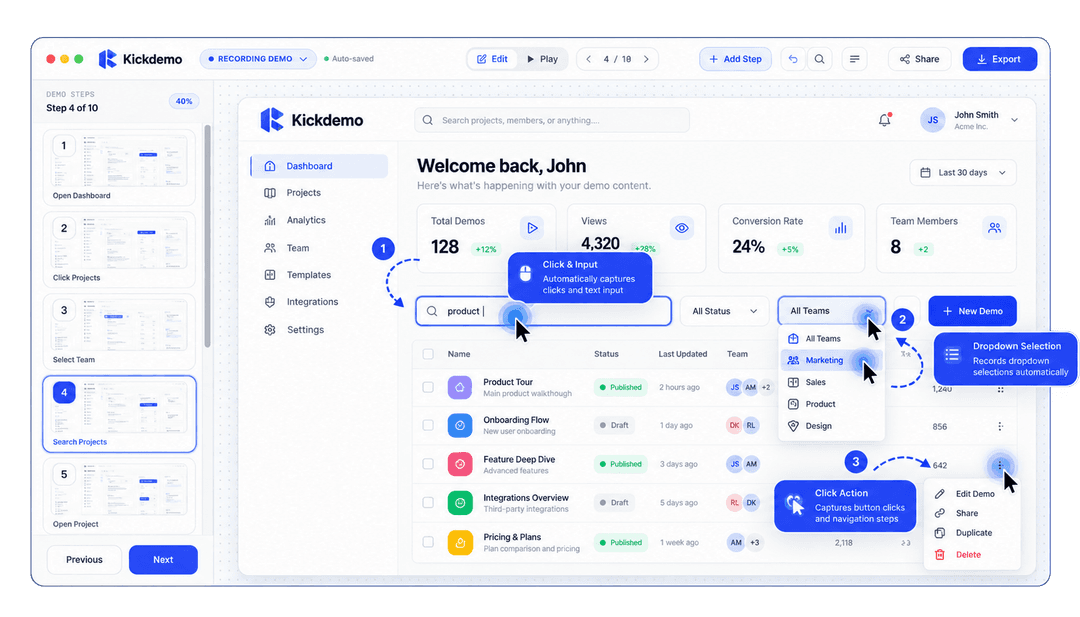
Silently captures clicks, text input, dropdown selections, and navigation steps as you naturally use your app.
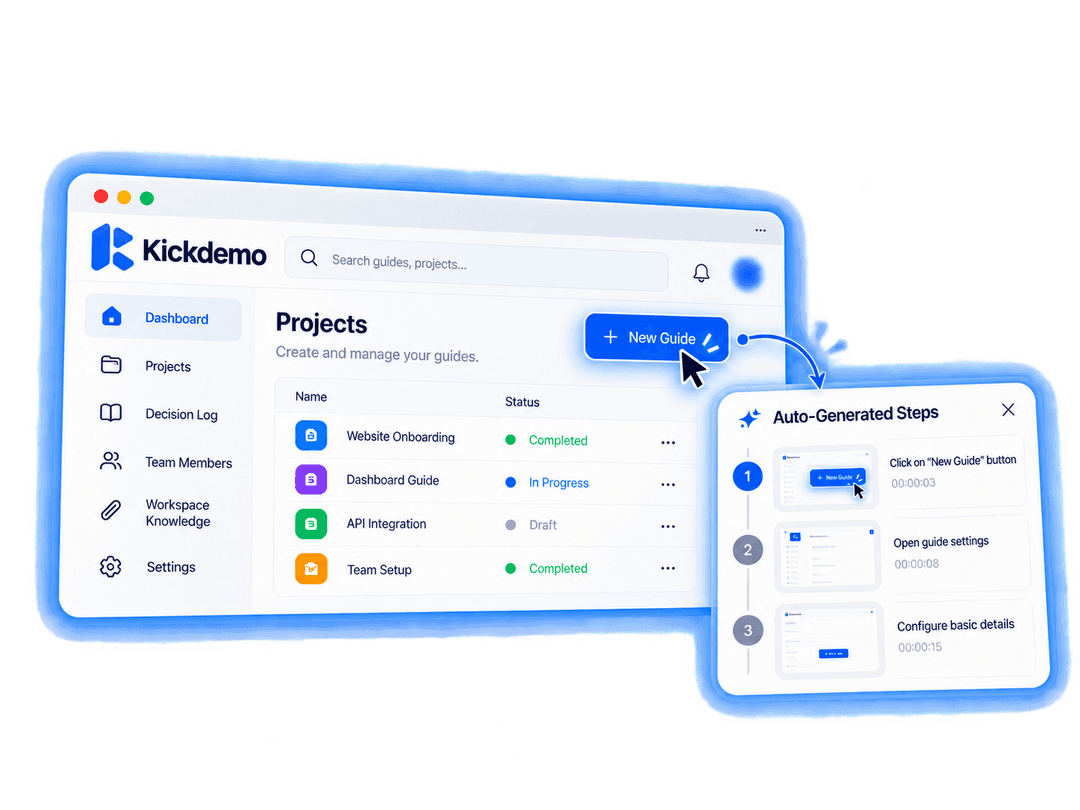
Instantly turns your clicks into clear, helpful guidance text for your viewers without manual typing.
Captures crystal-clear high-definition interface views that look crisp on every screen and retina display.
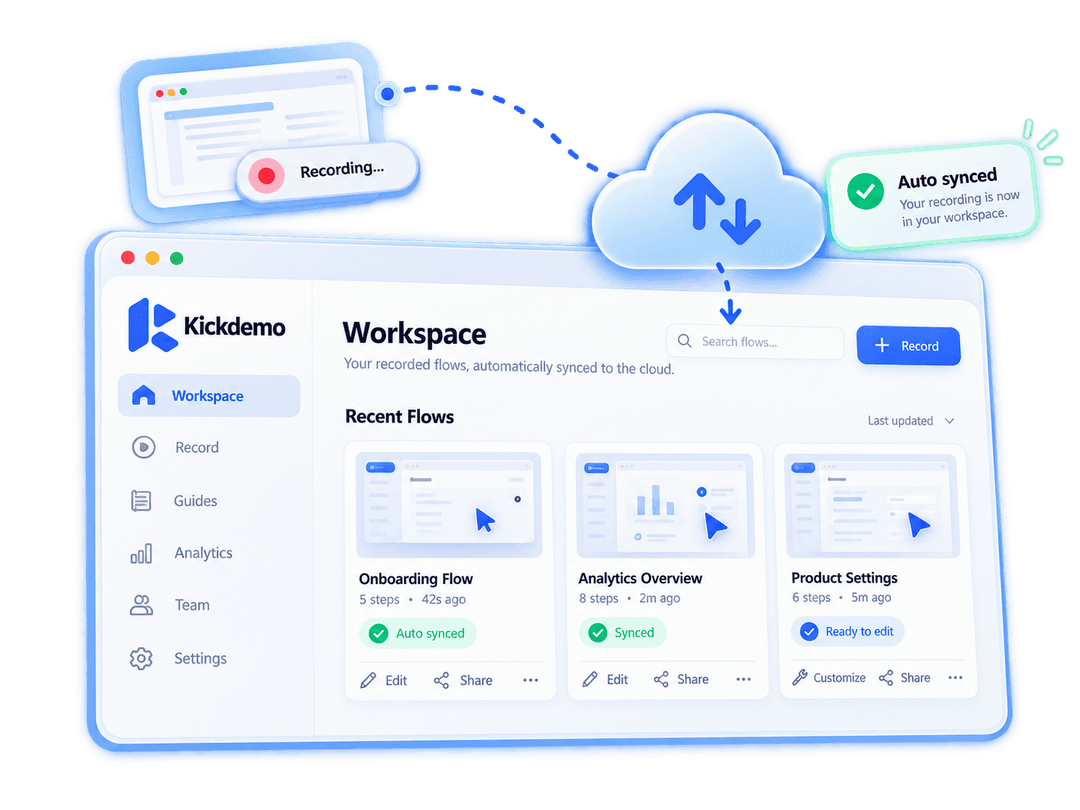
Recorded flows automatically upload to your dashboard, ready for editing, customizing, and sharing in seconds.
Position explanatory guidance cards around any interface element with automatic screen edge alignment.
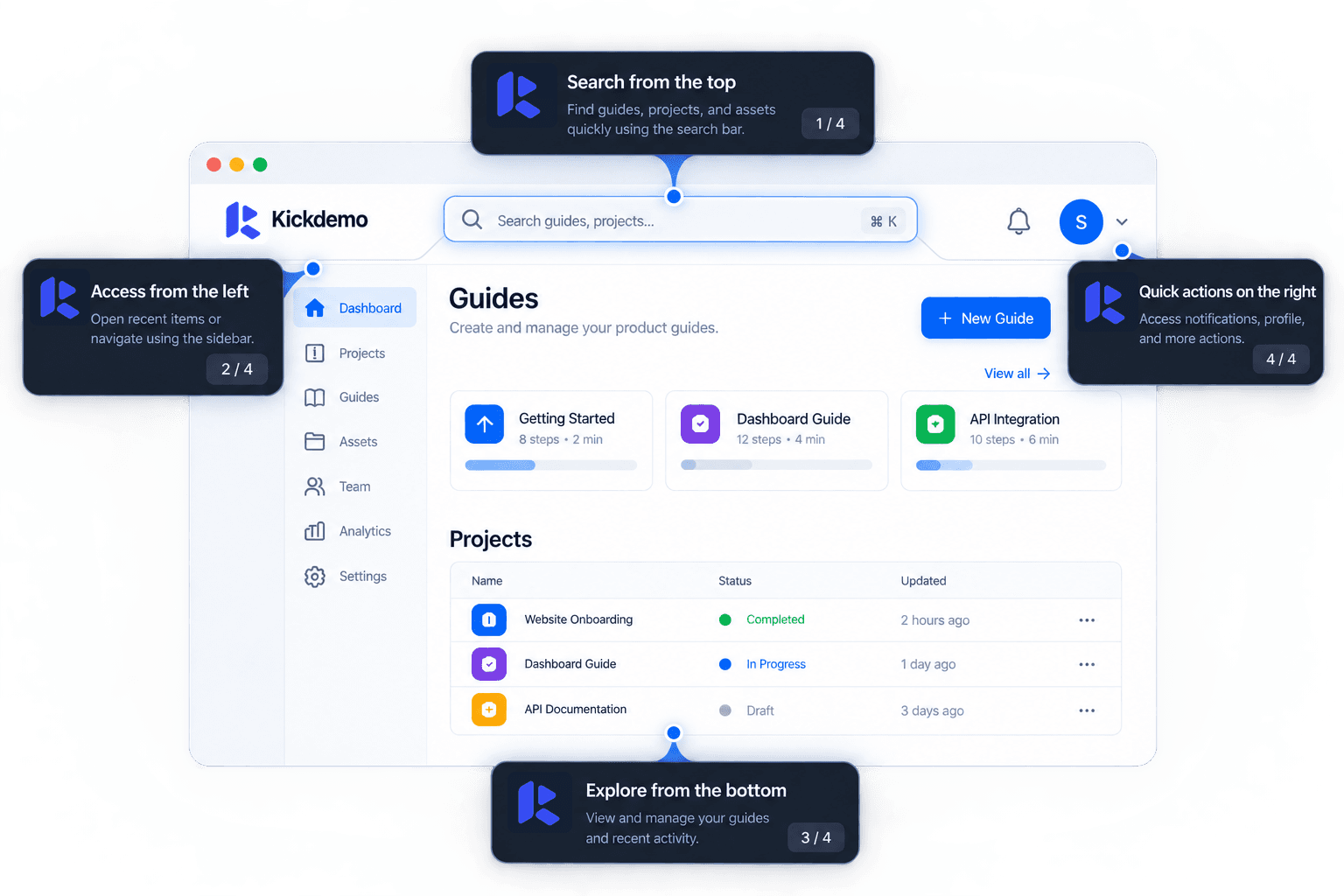
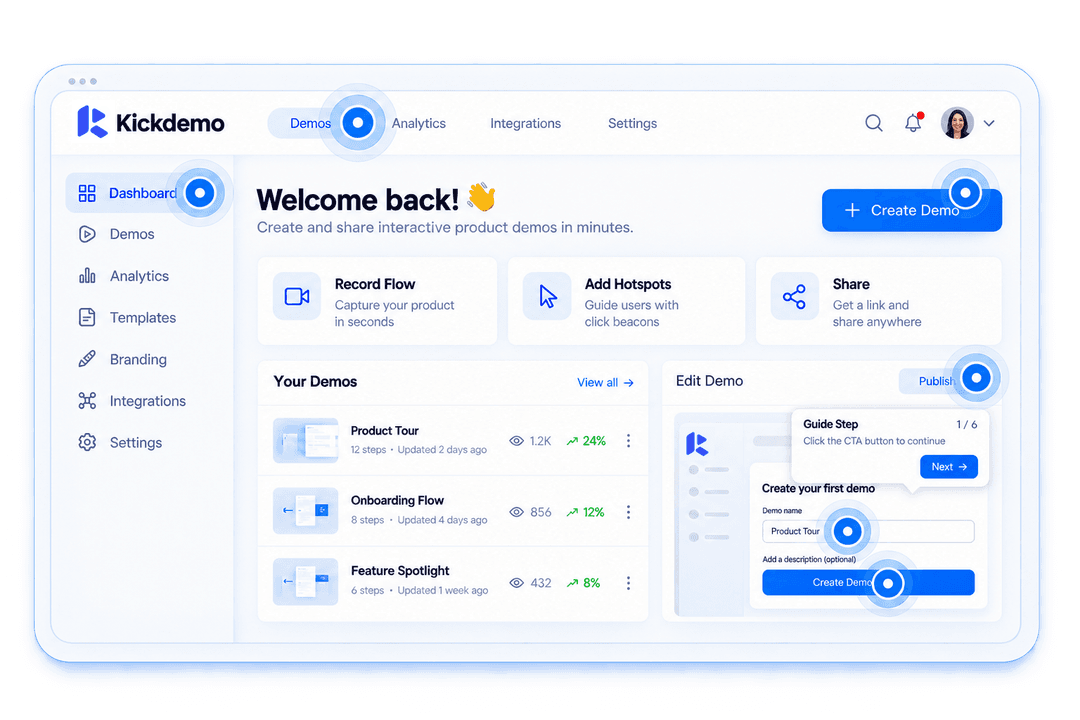
Animated hotspot beacons guide viewers where to click next, ensuring high demo completion rates.
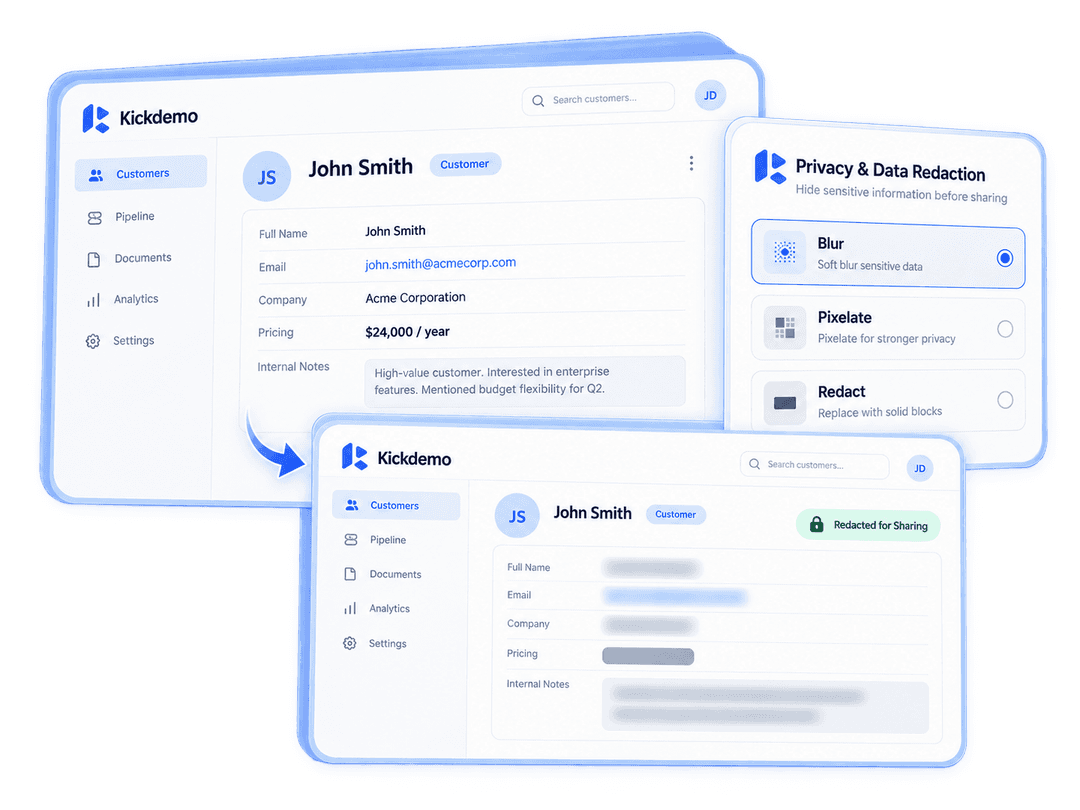
Easily blur out sensitive customer information, pricing, emails, and internal data before sharing publicly.
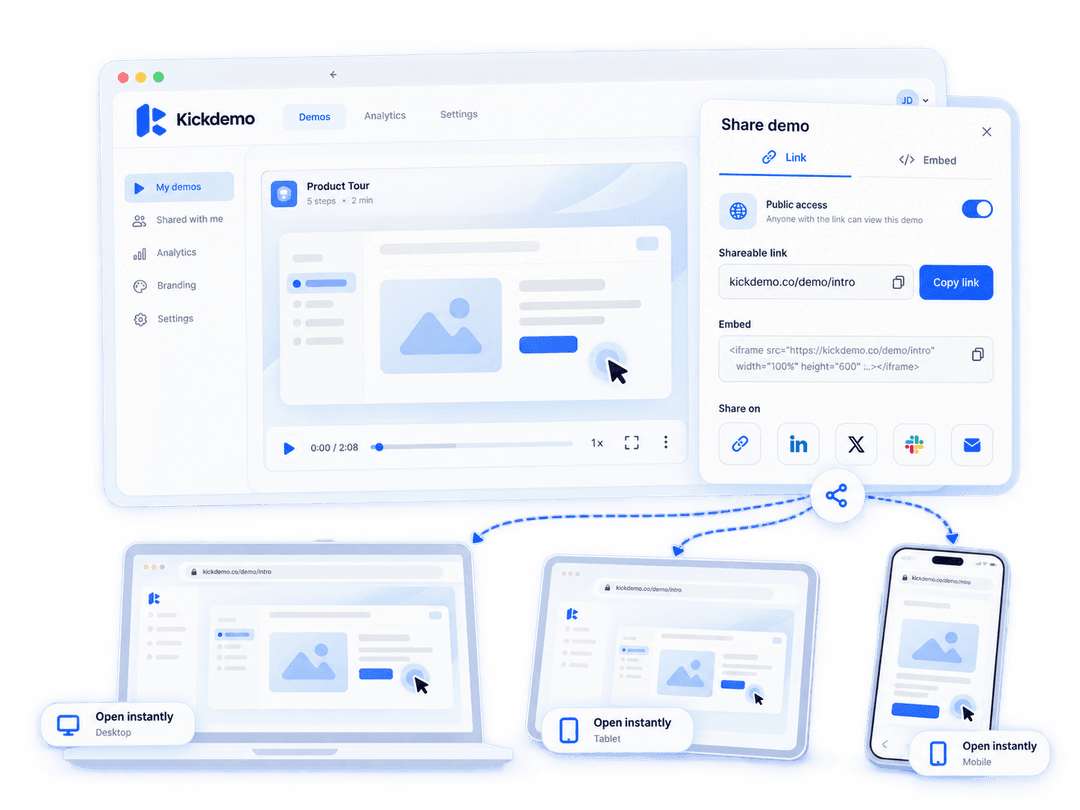
Share frictionless demo links that open instantly on mobile, tablet, or desktop without requiring any viewer login.
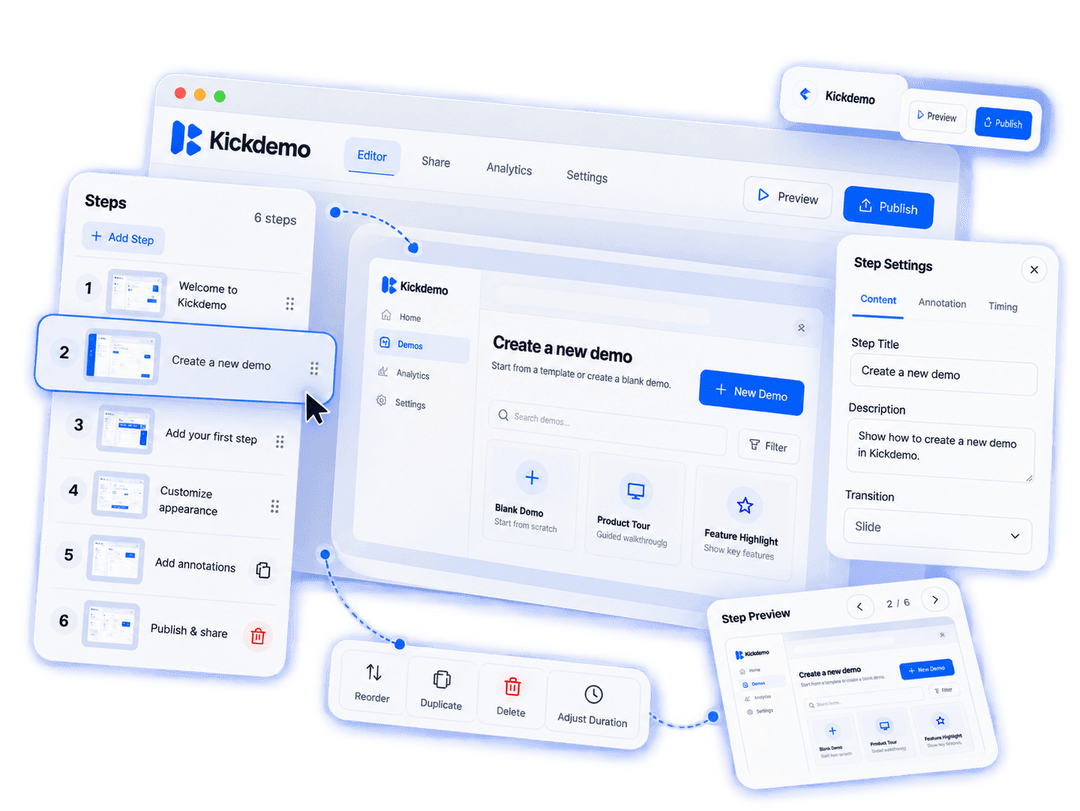
Easily reorder, duplicate, adjust, or delete steps with an intuitive visual thumbnail sidebar.
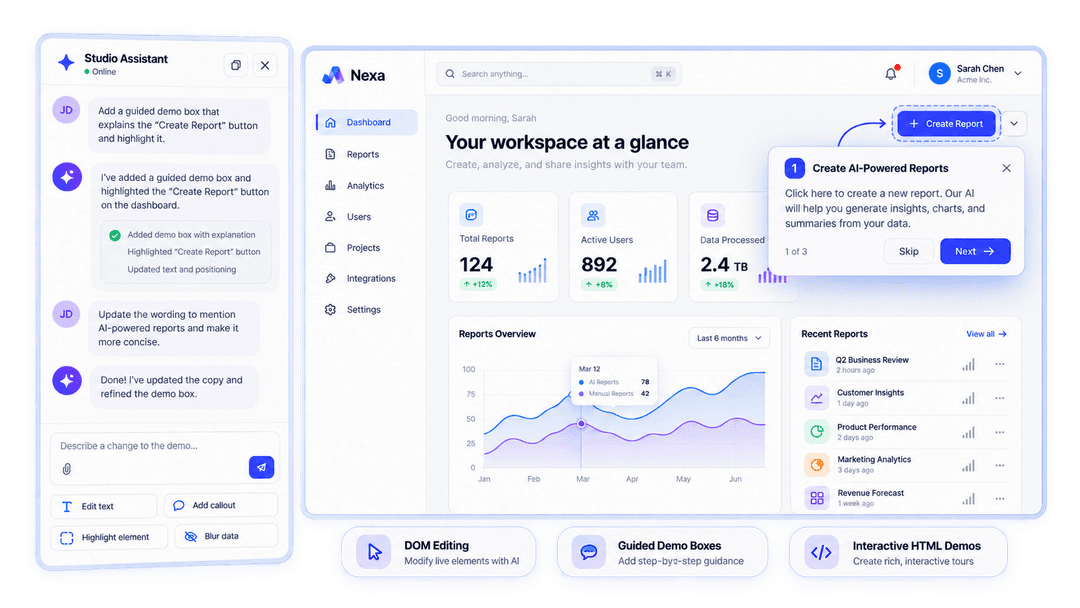
Deploy a 24/7 product guide that narrates walkthroughs, answers buyer questions, and qualifies intent across 50+ languages.
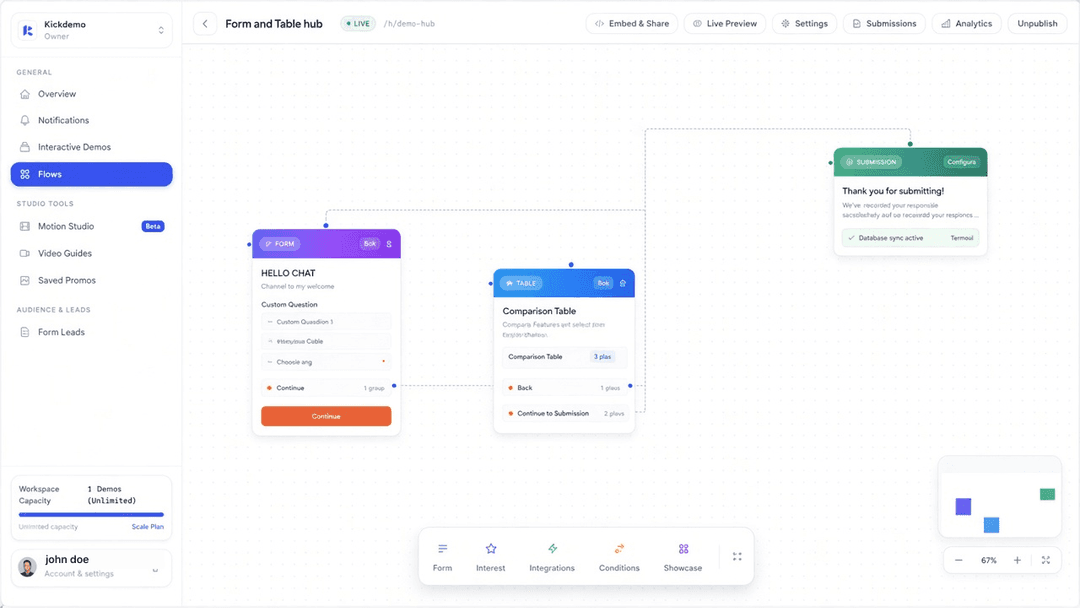
Build a questionnaire, capture interest, and connect each answer path to the demo that fits.
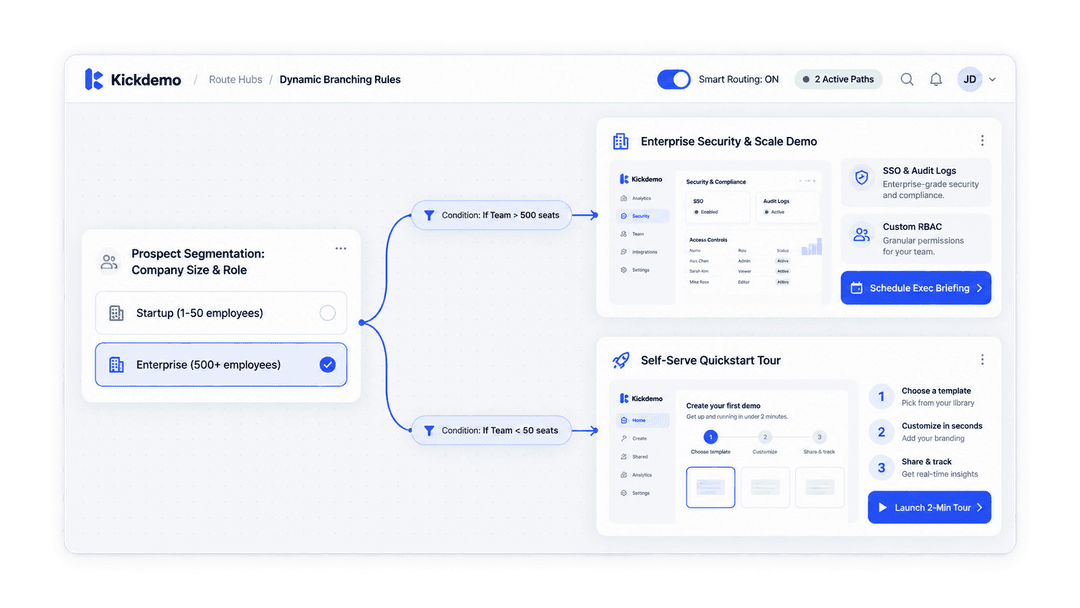
Send each questionnaire answer into the interactive demo that matches what the visitor selected.
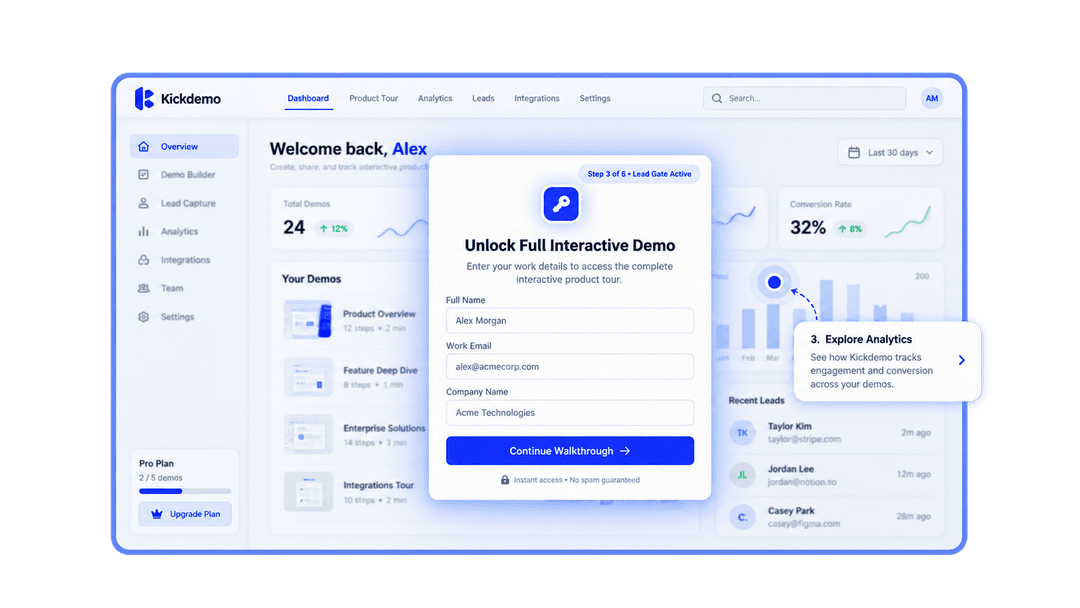
Collect contact details and answers on the path, then continue into the matched demo.
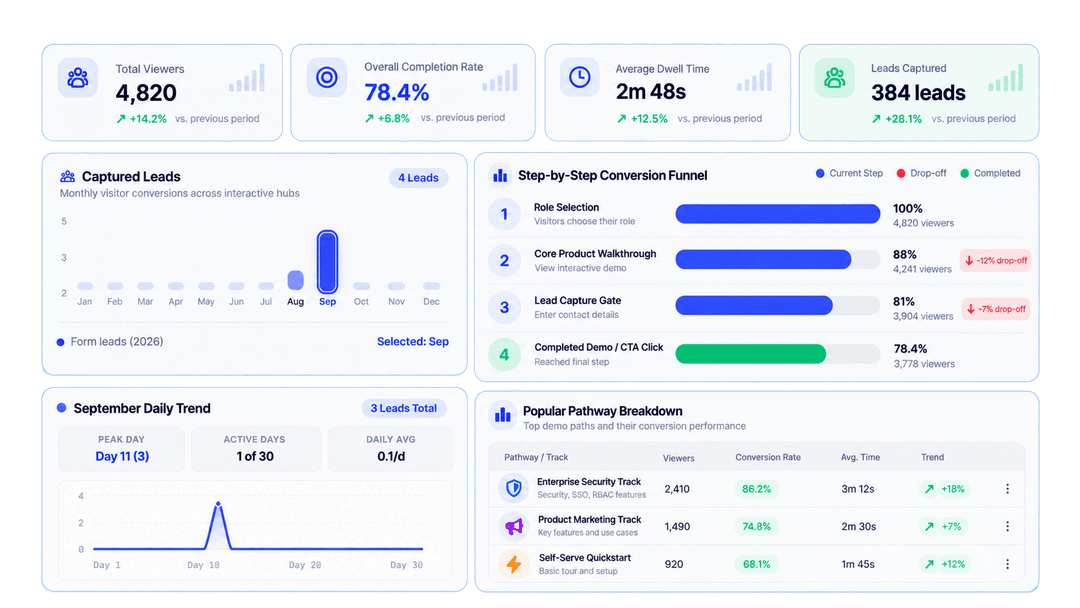
See where visitors leave between questions, forms, and demos so you can refine the path.
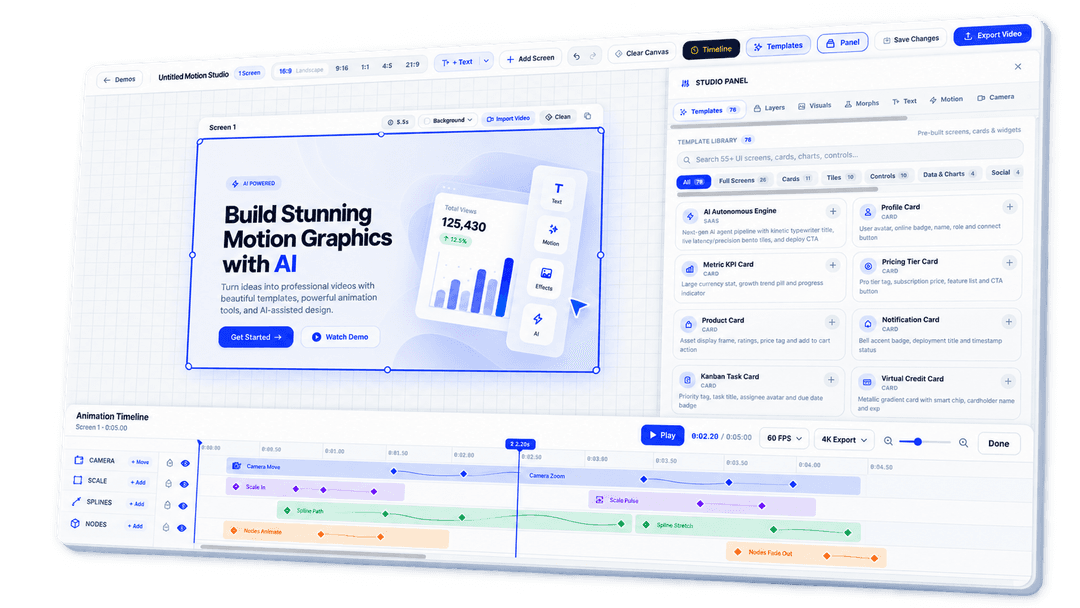
Precision playhead scrubbing, speed toggles, and layer timing controls for crafting high-impact product video teasers.
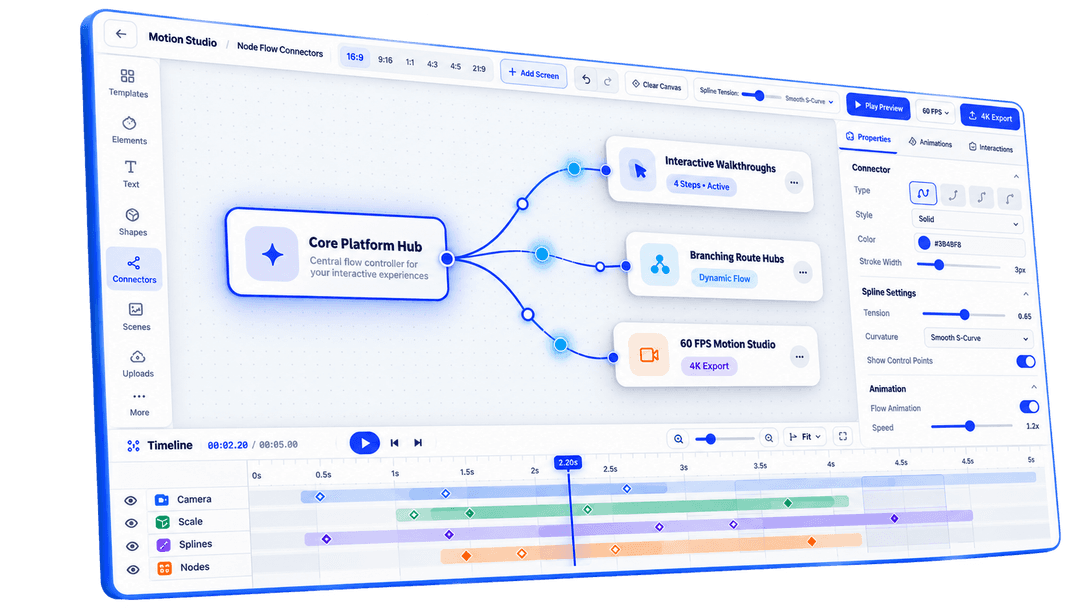
Beautiful curved connector lines linking central feature cards to satellite steps with smooth animated reveals.
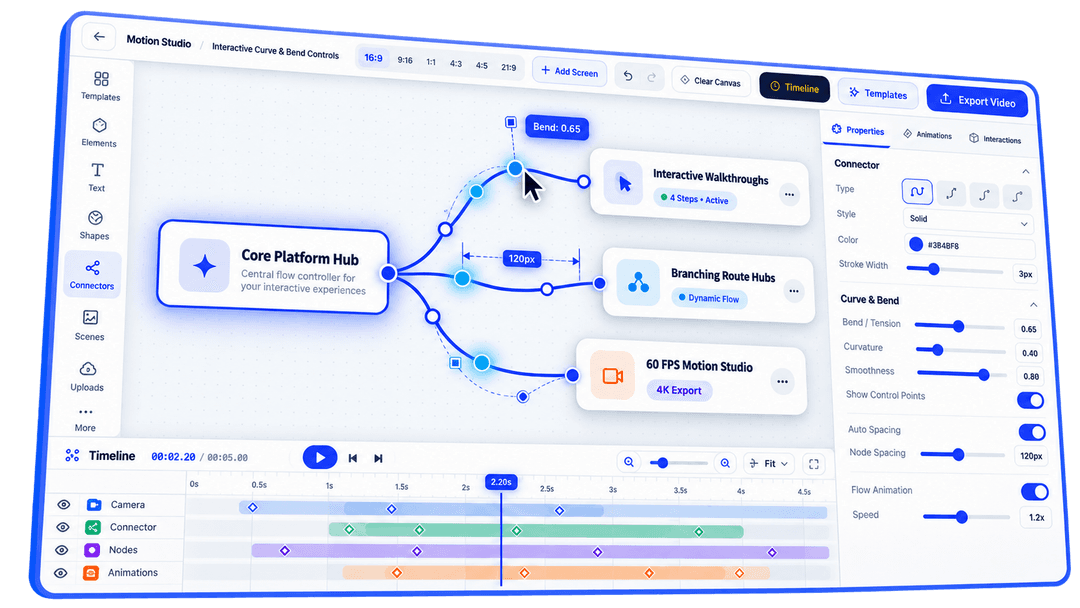
Fine-tune connector curvature and layout spacing with intuitive visual drag handles on the canvas.
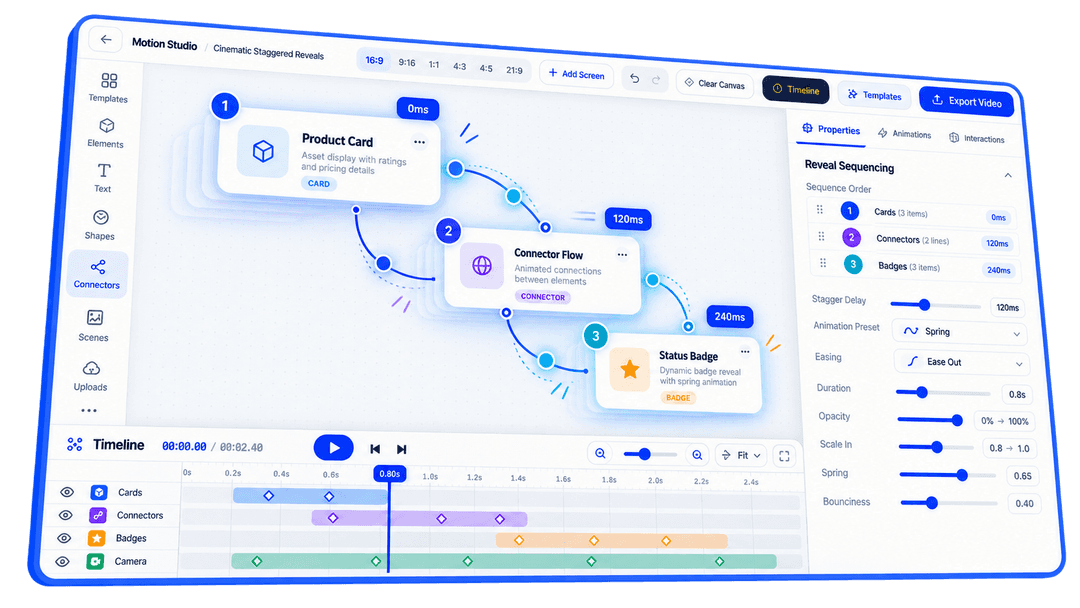
Polished spring animation sequencing that introduces cards, connectors, and badges with professional timing.
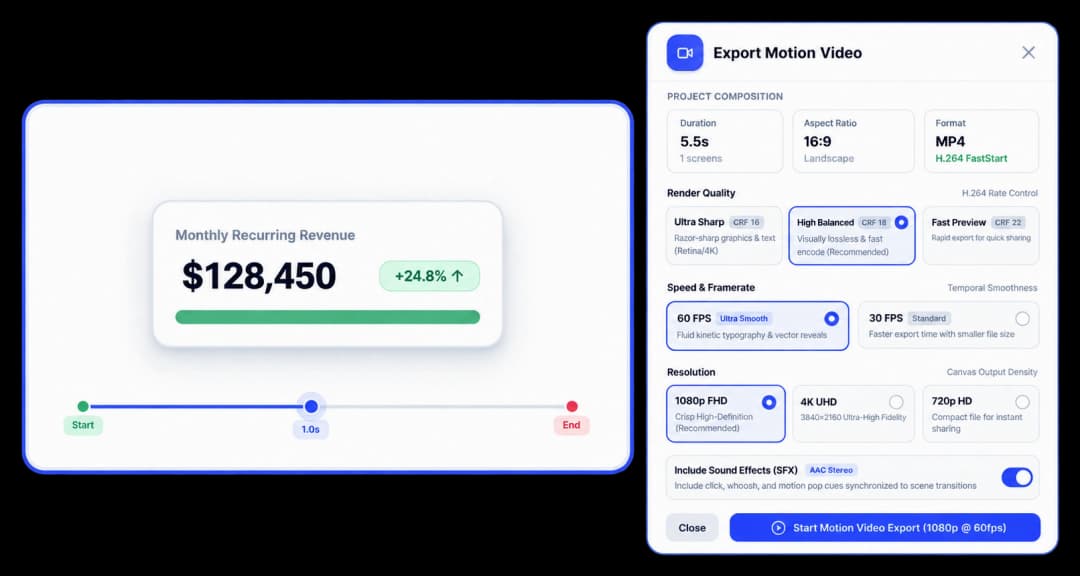
Export crisp, ready-to-publish video assets for Twitter/X, LinkedIn, landing page heroes, and product launches.
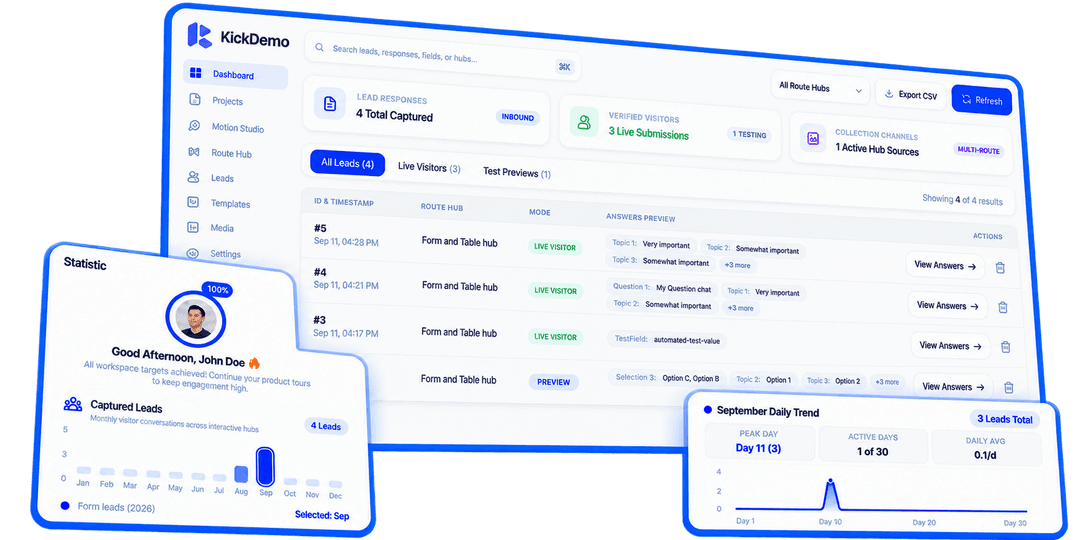
Track total walkthroughs created, published Flows, leads captured, and prospect engagement in one glance.
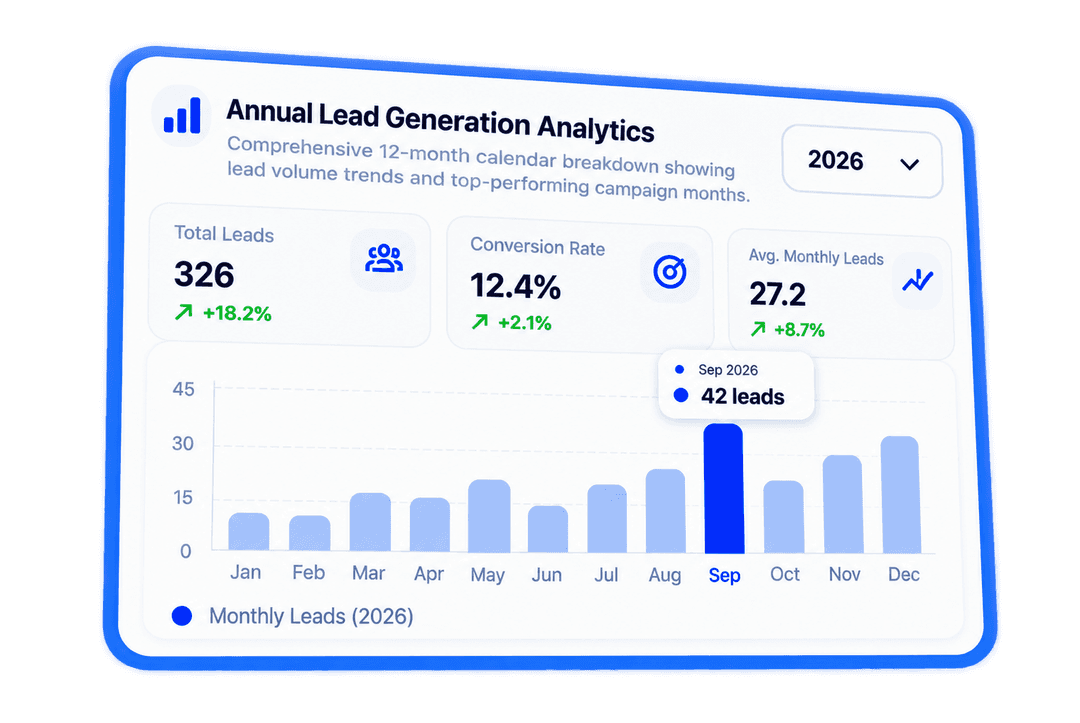
Comprehensive 12-month calendar breakdown showing lead volume trends and top-performing campaign months.
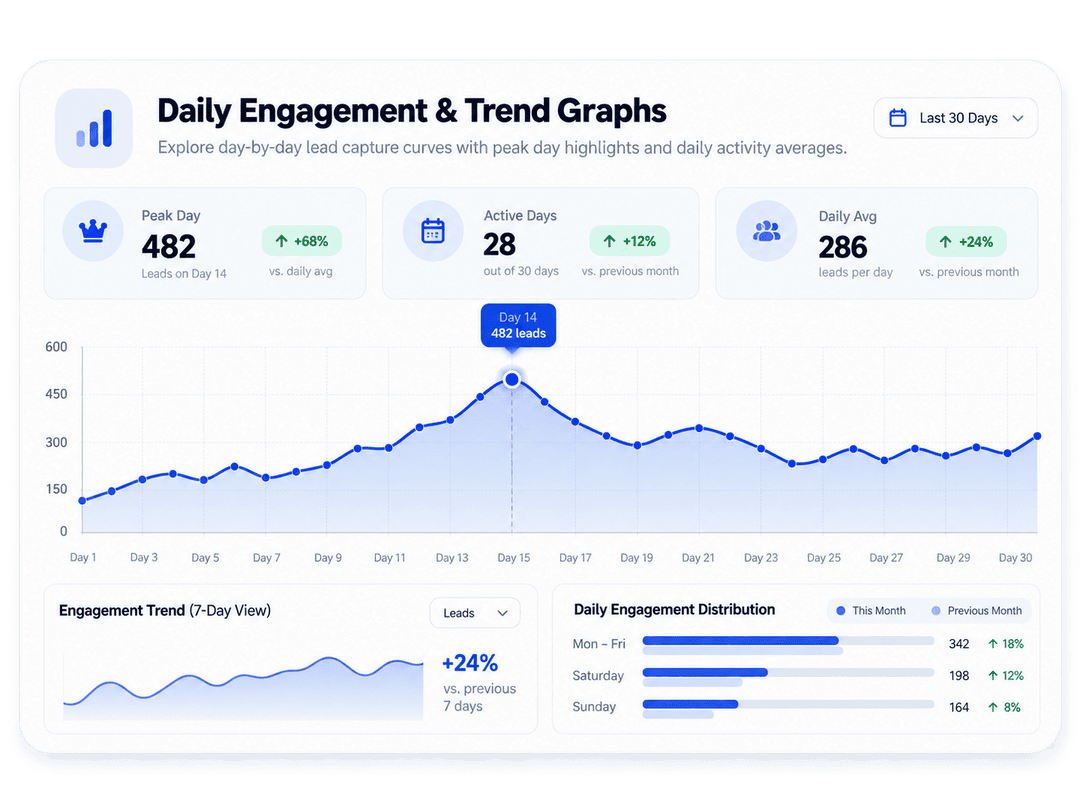
Explore day-by-day lead capture curves with peak day highlights and daily activity averages.
See why fast-growing SaaS companies use Kickdemo to turn product workflows into high-converting revenue engines.
Capture, Flows, Motion Studio, and how engagement is measured.
Kickdemo covers browser capture, interactive walkthroughs, Flows, Motion Studio, and analytics for engagement and lead tracking.
Flows let you build a questionnaire, capture interest, and route each visitor to the interactive demo that matches their answers. You can also measure drop-off across the path.
Yes. With the lightweight Kickdemo Chrome extension, you can record clicks, inputs, and multi-step workflows directly from your browser in seconds.
Motion Studio is a browser-based timeline editor for turning walkthroughs into polished 60 FPS product videos ready for export.
Yes. Kickdemo analytics show engagement trends, lead activity, and journey drop-off so teams know what converts.

Build interactive walkthroughs, personalize prospect links, and capture high-intent buyers without writing code or waiting on engineering.