

Find the saved walkthrough
Pick up the capture from Interactive Demos in your workspace.
Chrome CaptureWorkspace handoff
Finish a browser capture and pick up in your workspace.
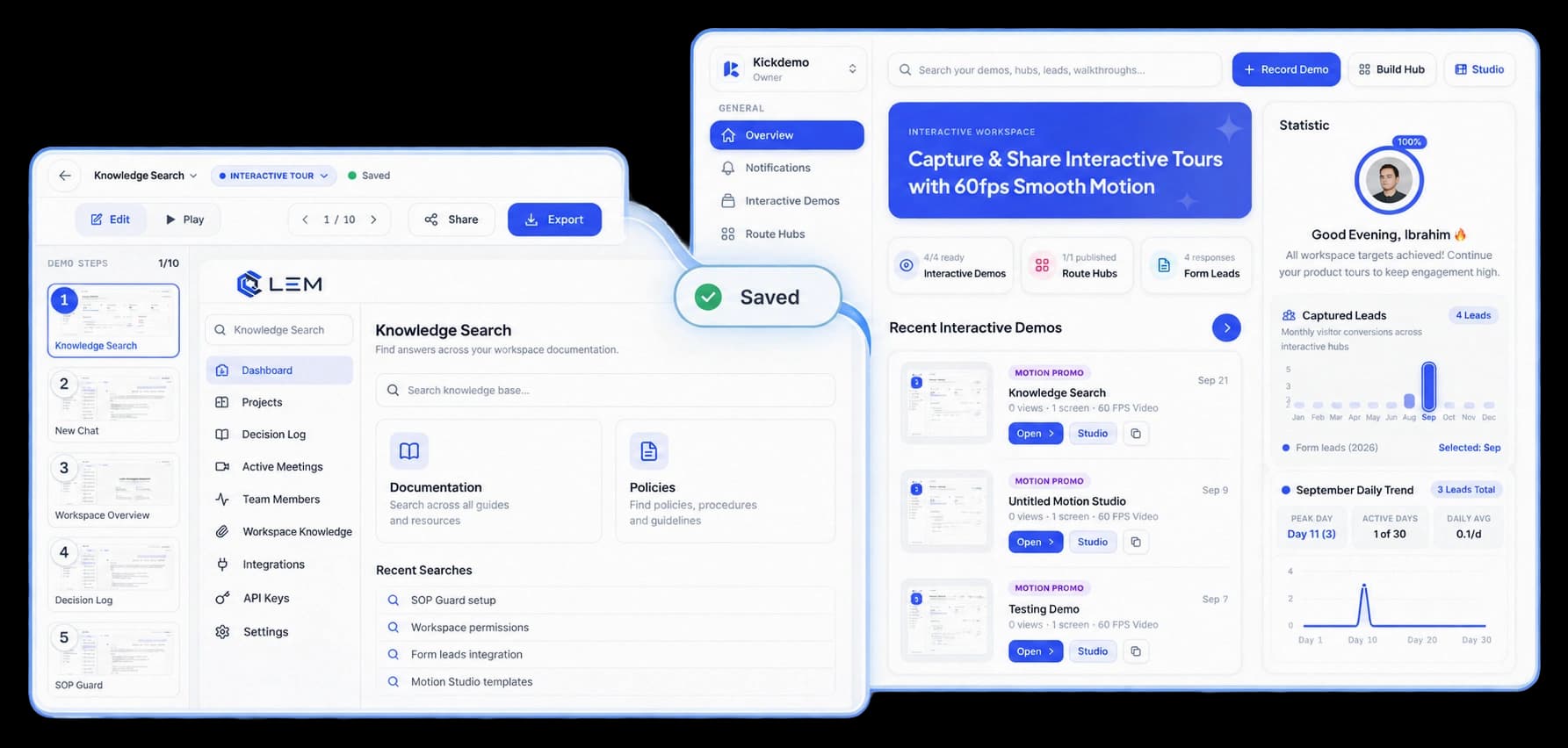
Keep the work moving
After you finish a browser capture, the saved walkthrough is available from your KickDemo workspace. Open it to review the steps, refine the content, and prepare it for viewers.
Pick up the capture from Interactive Demos in your workspace.
Open the recorded flow and review the screens already in it.
Edit the walkthrough in KickDemo before sending it to viewers.
From capture to workspace
The handoff leaves you with a saved walkthrough in the same workspace where you edit and share demos. Continue from the captured sequence instead of rebuilding the flow from scratch.
Inside the workflow
Complete the capture in your browser, then continue with the saved walkthrough in the workspace.
Move through the browser flow you want to explain.
Find the saved walkthrough in your KickDemo workspace.
Review the captured steps and prepare the walkthrough for viewers.
Product video
Record the control, the change it makes, and the result on screen.
instant-cloud-sync.mp4Where it helps
Keep the recording and the editing work connected in the same product workspace.
Product teams
Customer education
Sales teams
A few useful details
Open Interactive Demos in your KickDemo workspace to find the saved walkthrough.
Yes. Open it in KickDemo to review and refine the captured steps before sharing.
No. The recorded walkthrough is available in your workspace so you can continue editing there.

Build interactive walkthroughs, personalize prospect links, and export 60 FPS motion videos without writing code or waiting on engineering.