

Follow each stage
See visitor counts and progression through a Route Hub.
Route HubsJourney analytics
See how far visitors move through a Route Hub journey.
Follow the visitor path
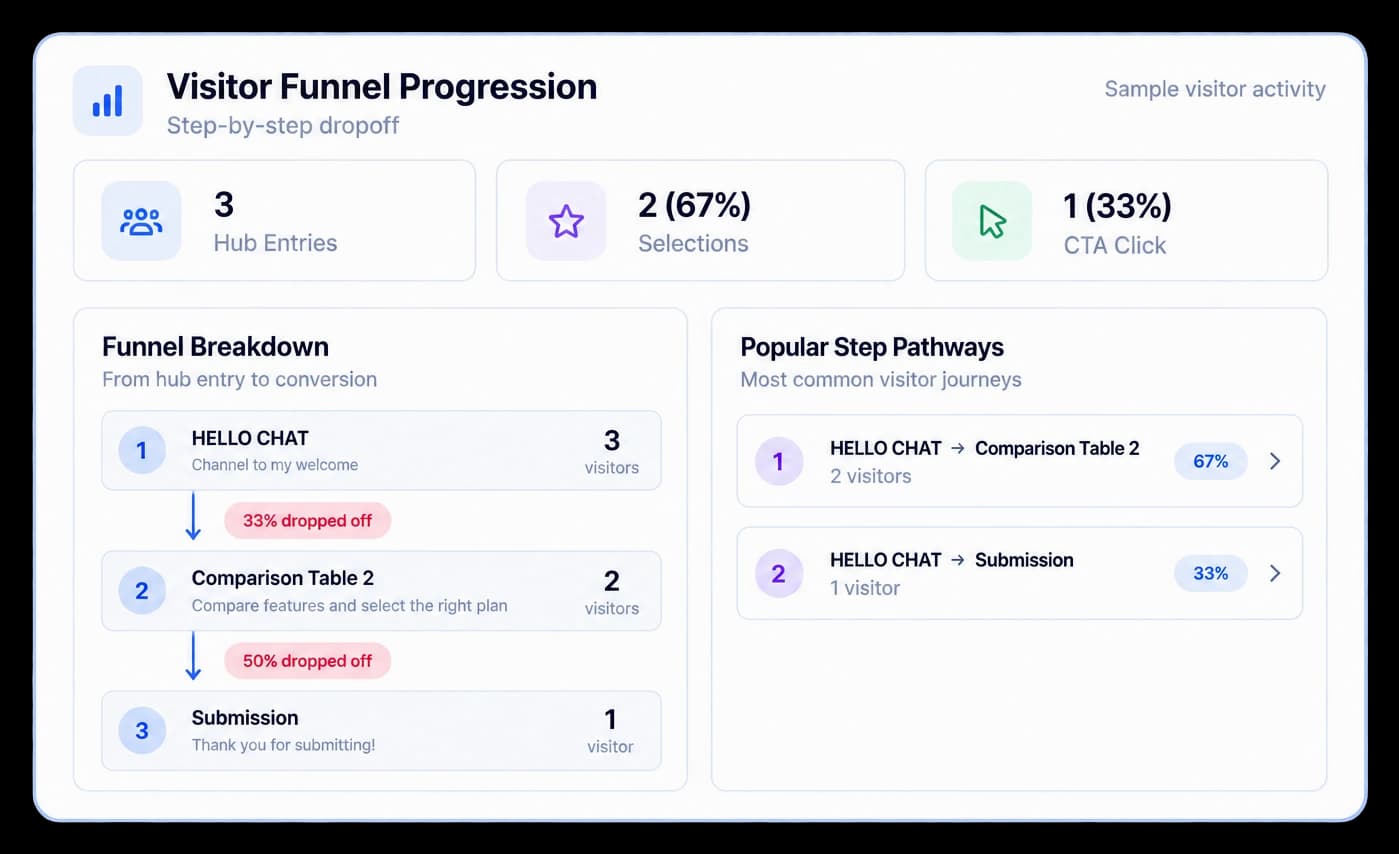
Route Hub analytics brings visitor funnel progression and popular step pathways into the same view. Compare stage counts and follow the routes people take through a hub.
See visitor counts and progression through a Route Hub.
Review which connected destinations visitors follow most often.
Use step-by-step drop-off to find a part of the route to revisit.
In Route Hub Analytics
Visitor Funnel Progression shows how activity changes between stages, while Popular Step Pathways summarizes the routes visitors take. Use the pattern to decide where the experience needs a closer look.
Inside the workflow
Open a hub’s analytics, compare its stages, and use visitor paths to guide the next edit.
Choose the published Route Hub you want to review.
Review the visitor funnel and where activity changes across the path.
See the routes visitors follow and decide what to refine.
Product video
Record the control, the change it makes, and the result on screen.
journey-dropoff-analytics.mp4Where it helps
Use visitor pathways to see whether a hub helps people reach the content they came for.
Product marketing
Sales teams
Customer education
A few useful details
The analytics view includes visitor funnel progression, popular step pathways, and activity across the hub’s content.
Yes. Popular Step Pathways summarizes the paths recorded for the selected hub.
Yes. The analytics view needs visitor activity from a published Route Hub to show its funnel and pathways.

Build interactive walkthroughs, personalize prospect links, and export 60 FPS motion videos without writing code or waiting on engineering.