

Place each clip
Arrange camera and animation clips on their own tracks.
Motion StudioMotion Studio
Arrange camera moves and animation clips on a shared timeline.
Bring timing into one view
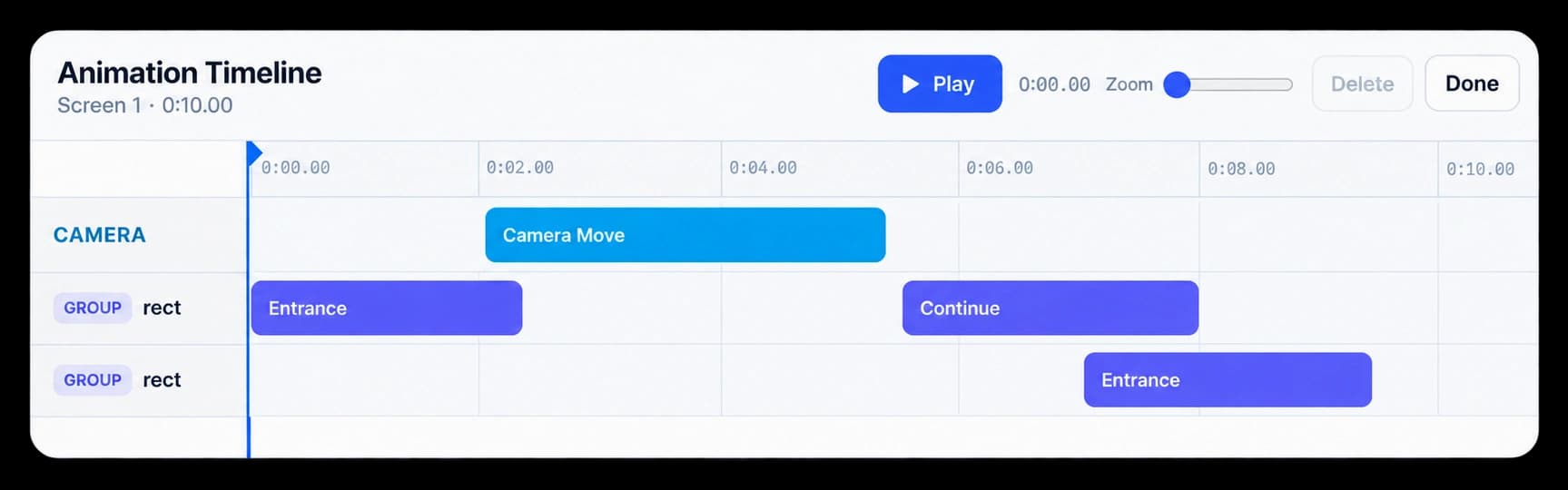
Motion Studio’s Animation Timeline keeps camera moves and animation clips in view together. Adjust their position and length, then preview the sequence as one piece.
Arrange camera and animation clips on their own tracks.
Move or trim a clip against the shared time ruler.
Play the timeline to check how the movement reads together.
In Motion Studio
Camera and group tracks give each motion its own lane. Move or trim clips against the timeline ruler, then press Play to review their timing in the scene.
Inside the workflow
Add the clips you need, shape their timing, and preview the sequence in Motion Studio.
Choose the screen whose movement you want to refine.
Place camera moves and animation clips on the timeline tracks.
Review the sequence, make timing changes, and export when it is ready.
Product video
Record the control, the change it makes, and the result on screen.
motion-timeline-engine.mp4Where it helps
Use a timeline when a product video needs movement that feels paced and deliberate.
Product marketing
Sales teams
Customer education
A few useful details
The timeline shows camera moves and animation clips on separate tracks for the selected screen.
Yes. Move a clip on the ruler or trim its edges, then preview the updated timing.
Use Play in the timeline to review the motion before saving or exporting the video.

Build interactive walkthroughs, personalize prospect links, and export 60 FPS motion videos without writing code or waiting on engineering.