

Check composition
See duration, aspect ratio, and format before export.
Motion StudioVideo export
Choose the video settings that fit your finished scene.
Prepare a video for sharing
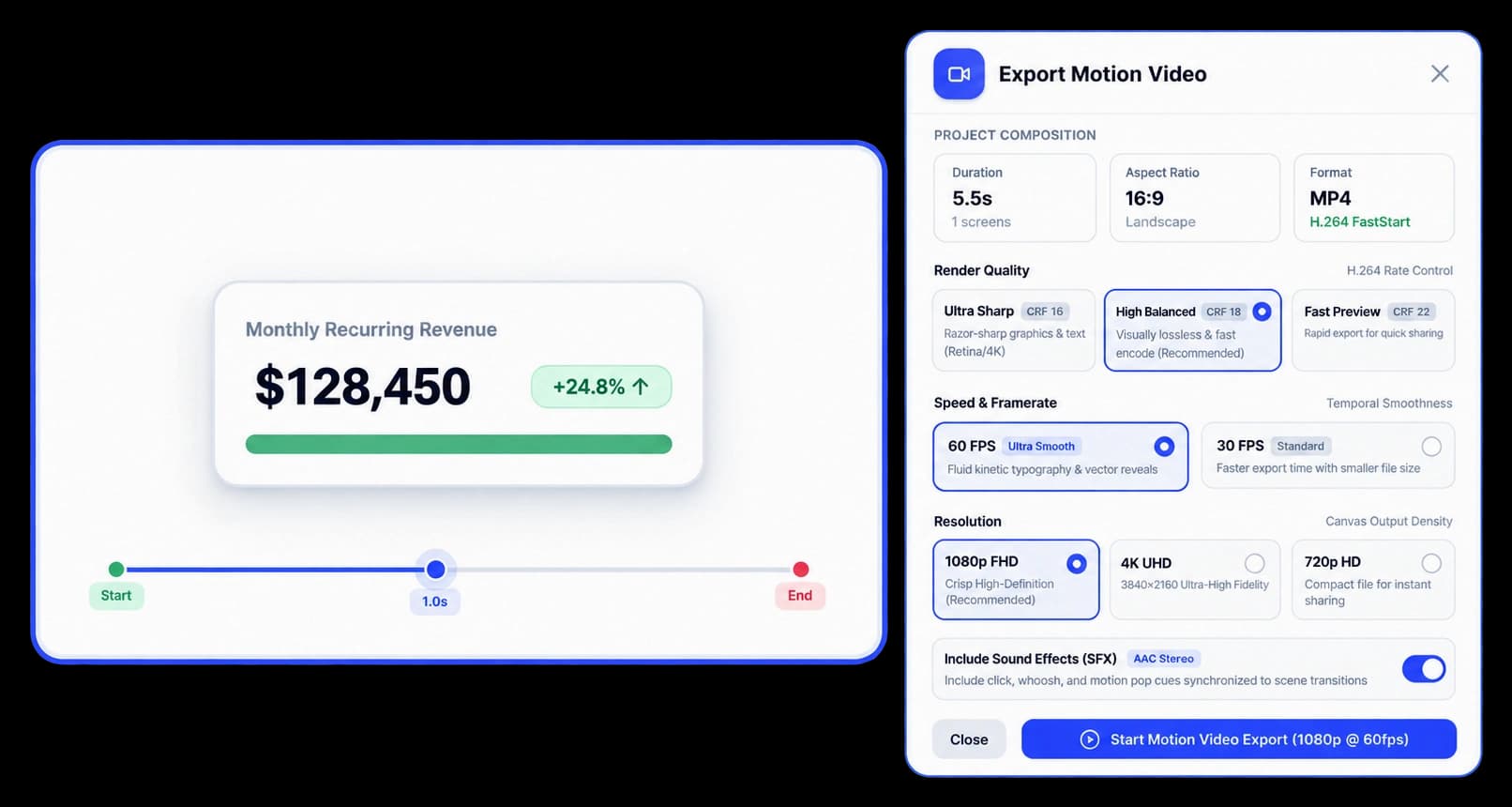
Export Motion Video brings the composition details and output choices together. Set the resolution and frame rate, choose a render quality, and start the export from Motion Studio.
See duration, aspect ratio, and format before export.
Select 1080p FHD, 4K UHD, or 720p HD.
Pick a quality option and 60 or 30 FPS.
Export Motion Video
Review the project composition, then choose 1080p FHD, 4K UHD, or 720p HD and 60 or 30 FPS. The export drawer also includes Ultra Sharp, High Balanced, and Fast Preview quality options.
Inside the workflow
Review the scene, choose the output settings, and start the Motion Studio export.
Check the project duration, aspect ratio, and format.
Set resolution, frame rate, and render quality.
Use Start Motion Video Export to render the selected composition.
Product video
Record the control, the change it makes, and the result on screen.
high-definition-video-export.mp4Where it helps
The export drawer gives your team control over the video settings for its next destination.
Product marketing
Sales teams
Customer education
A few useful details
The export drawer offers 1080p FHD, 4K UHD, and 720p HD.
Yes. You can choose 60 FPS or 30 FPS.
The composition summary shows the export format for the current project, such as MP4 with H.264 FastStart.

Build interactive walkthroughs, personalize prospect links, and export 60 FPS motion videos without writing code or waiting on engineering.